What is TACC?
Texas Advanced Computing Center provides:
- High performance computing systems- large clusters, capable of running highly parallel computation and advanced visualization.
- Large data storage and data archival capabilities.
- Software packages already installed on the clusters.
To find documentation/training on TACC systems: User guides, training courses offered by TACC and CCBB.
Stuck with TACC specific errors or need a specific tool installed on TACC? Submit a ticket to TACC consulting.
What is a cluster?
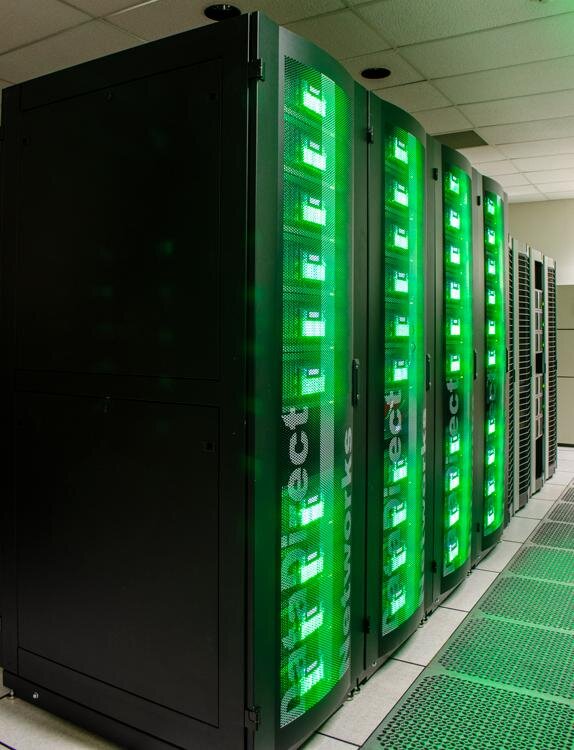
Cluster systems are made up of multiple computers, connected together to act as one. Each computer is called a node in the cluster and can have multiple processors (called cores). Users log in to the cluster through a limited number of login/head nodes and submit jobs to the many compute nodes. These systems are inherently parallel and can be greatly beneficial when your jobs are also parallelized.

TACC's Cluster Systems
LONESTAR6:

- 560 nodes (computers) with 128 cores per node
- 71, 680 cores (processors)
- 84 GPU nodes with 128 cores per node (for more computationally intensive tasks)
- 256 GB RAM
- Max run time: 48 hours
- USE: For running large, parallel computation jobs.
STAMPEDE3:

- 1060 SKX nodes (computers) with 48 cores (processors) per node, 560 SPR nodes (computers) with 112 cores (processors) per node, 224 ICX nodes (computers) with 80 cores per node
- GPU nodes: 20 PVC nodes with 96 cores per node, 24 H100 GPU nodes with 96 cores per node
- Max run time: 48 hours (without approval), 120 hours (with approval)
- USE: For running large, parallel computation jobs
Frontera:

TACC's Storage Systems
CORRAL:
- Replicated storage
- 6 Petabytes of storage
- Accessible on lonestar and stampede systems
- $250 per terabyte (First 5 terabytes free for UT users)
- USE: Backup data, analysis results.
RANCH:
- Tape storage
- Archival storage- not replicated or backed up.
- 60 Petabytes of storage
- Immediate access can be difficult.
- USE: Long term archival of data. One of two copies.
Now on to how to use the lonestar6 cluster...